
Configuring your table_formats file#
Once you've installed dawsonia and familiarized yourself with table detection with scipy_proj method you are ready to try out some more table formats configuration.
%matplotlib inline
import matplotlib.pyplot as plt
import os
os.environ["DAWSONIA_DEBUG_TABLE_DETECT"] = "1"
If you haven’t already, clone the data repository containing HTR model weights and sample PDFs.
!rm -rf data
!git clone -c core.autocrlf=false https://git.smhi.se/ai-for-obs/data.git
Cloning into 'data'...
remote: Enumerating objects: 468, done.
remote: Counting objects: 100% (405/405), done.
remote: Compressing objects: 100% (346/346), done.
remote: Total 468 (delta 137), reused 0 (delta 0), pack-reused 63 (from 1)
Receiving objects: 100% (468/468), 64.32 MiB | 11.00 MiB/s, done.
Resolving deltas: 100% (153/153), done.
Filtering content: 100% (15/15), 951.54 MiB | 24.16 MiB/s, done.
Input data and table formats configuration#
Bjuröklubb example#
The data repository contains PDFs with some different table structures. Let’s begin to look at a PDF for the station Bjuröklubb. We will look at the pdf Bjuröklubb_1928-01-01_1928-12-31.pdf because it has the right file naming convention as opposed to DAGBOK_Bjuröklubb_Station_Jan-Dec_1928.pdf.
!ls data/raw/BJURÖKLUBB/
Bjuröklubb_1928-01-01_1928-12-31.pdf
DAGBOK_Bjuröklubb_Station_Jan-Dec_1928.pdf
DAGBOK_Bjuröklubb_Station_Jan-Dec_1936.pdf
To create a table formats file we start by manually viewing the pdf file. Visually we can see some important aspects:
5 tables in one page
all tables except the second table have both column headers and row headers
For this example we decide to focus on digitizing the first two tables. Remember, dawsonia reads tables top to bottom, left to right. That’s why we call the two topmost tables the “first” and “second”. Internally though, they are zero-indexed which means they have indices 0 and 1. Since dawsonia is trained to digitize handwritten text it only makes sense to digitize boxes with handwritten text, and not leading rows or columns containing the row and column names.
from IPython.display import Image
Image(filename='images/Bjuröklubb_1928-01-01_1928-12-31.png')

We’ll start by ensuring we have a directory to put our table_formats file. Then we create our table_formats file. Make sure the file has the same name as the directory containing the PDF files. The directory is called BJURÖKLUBB which means the table_formats file will be called bjuröklubb.toml. Below is a simplified and heavily commented version of the file that comes with the dawsonia repository.
!mkdir -p table_formats
%%file table_formats/bjuröklubb.toml
# NOTE: that the file name matches the directory containing the files.
[default]
version = 0

[default.preproc]
corr_rotate = false
idx_tables_size_verify = [0, 1]     # this denotes that we are interested in
                                    # digitizing the first two tables
method = "SCIPY_PROJ"               # table detection method. could be set to OPENCV_CONTOURS but SCIPY_PROJ is the most stable method
row_idx_unit = "NONE"               # we don't want dawsonia to put timestamps to the rows
table_modif = [[1, 1], [2, 0]]      # This denotes how many
                                    # leading rows and columns to remove from table 0 and 1.
                                    # Each element is constructed [nrows to remove, ncols to remove]

[version.0]
# column sections describe whether any columns (including leading columns) are separated by non-continuous lines
# In this case no columns are separated by non-continuous lines
# [cols,nsections]
col_sections = [
  [[1, 9]],         #The first table consists of 9 singular columns
  [[1, 9]],         #The second table consists of 9 singular columns
  [[1, 1]],         #The third table consists of 1 singular column
  [[1, 3]],         #The fourth table consists of 3 singular columns
  [[1, 5]]          #The fifth table consists of 5 singular columns
]

#Describe column names left after contingent removal of leading columns and division of column sections.
#Since we're only interested in the first two columns, we only need to describe those two"
columns = [
  [
    "term_på_baro",
    "barom",
    "torra_term",
    "våta_term",
    "moln_slag_lägre",
    "moln_mängd_lägre",
    "moln_slag_högre",
    "moln_mängd_total"
  ],
  [
    "vind_riktning",
    "vind_beaufort",
    "vind_m_sek",
    "sikt",
    "sjögang",
    "maximi_term",
    "minimi_term",
    "nederbörd_mängd",
    "nederbörd_slag"
  ]
]
# Table sizes after division according to col_sections and row_sections. Including leading columns and rows.
#[nrows,ncolumns]
divided_tables = [
  [6, 9],
  [7, 9],
  [3, 1],
  [5, 3],
  [5, 5]
]
name_idx = ["time", "time", "row_idx2", "time", "time"]
# row sections describe whether any rows (including leading rows) are separated by non-continuous lines
# In this case no rows are separated by non-continuous lines
# [rows,nsections]
row_sections = [
  [
    [1, 6]  # The first table consists of 6 singular rows
  ],
  [
    [1, 7]  # The second table consists of 7 singular rows
  ],
  [
    [1, 3]  # The third table consists of 3 singular rows
  ],
  [
    [1, 5]  # The fourth table consists of 5 singular rows
  ],
  [
    [1, 5] # The fifth table consists of 5 singular rows
  ]
]

#row names after contingent removal of leading rows and division of row sections
rows = [["2", "8", "14", "19", "21"], ["2", "8", "14", "19", "21"]]
# Table sizes before division according to row_sections and col_sections. Including leading rows and columns.
# [nrows, ncols]
tables = [
  [6, 9],
  [7, 9],
  [3, 1],
  [5, 3],
  [5, 5]
]
Writing table_formats/bjuröklubb.toml
!ls table_formats
bjuröklubb.toml
Demo: Table detection#
Now that we have all the prerequisites read, let’s execute the command to digitize page 3 of the PDF which contains the first tables in the document:
DAWSONIA_DEBUG_TABLE_DETECT=1 dawsonia label --first-page 3 --last-page 3 --no-interactive data/raw/BJURÖKLUBB/Bjuröklubb_1928-01-01_1928-12-31.pdf
or its Python API equivalent:
from dawsonia import label

label.command("data/raw/BJURÖKLUBB/Bjuröklubb_1928-01-01_1928-12-31.pdf", 4, 4, interactive=False)
INFO     2026-02-26 16:12:28,172 - dawsonia.io._pdf - INFO - table_format = TableFormat(name_idx=['time', 'time',
         'row_idx2', 'time', 'time'], columns=[['term_på_baro', 'barom', 'torra_term', 'våta_term',
         'moln_slag_lägre', 'moln_mängd_lägre', 'moln_slag_högre', 'moln_mängd_total'], ['vind_riktning',
         'vind_beaufort', 'vind_m_sek', 'sikt', 'sjögang', 'maximi_term', 'minimi_term', 'nederbörd_mängd',
         'nederbörd_slag']], rows=[('2', '8', '14', '19', '21'), ('2', '8', '14', '19', '21')], tables=[[6, 9], [7,
         9], [3, 1], [5, 3], [5, 5]], row_sections=[[[1, 6]], [[1, 7]], [[1, 3]], [[1, 5]], [[1, 5]]],
         col_sections=[[[1, 9]], [[1, 9]], [[1, 1]], [[1, 3]], [[1, 5]]], divided_tables=[[6, 9], [7, 9], [3, 1],
         [5, 3], [5, 5]], preproc=PreprocConfig(table_modif=[[1, 1], [2, 0]], corr_rotate=False,
         row_idx_unit=<TimeUnits.NONE: 3>, method=<PreprocMethods.SCIPY_PROJ: 1>, idx_tables_size_verify=[0, 1]),
         transforms=None, version='0', station='bjuröklubb')
INFO     2026-02-26 16:12:28,387 - dawsonia.io._pdf - INFO - PDF metadata: {'pages': 376, 'metadata':
         {'CreationDate': "D:20200228102836+01'00'", 'Creator': 'pdftk 1.44 - www.pdftk.com', 'ModDate':
         "D:20200228140406+01'00'", 'Producer': 'itext-paulo-155 (itextpdf.sf.net-lowagie.com)'}}
INFO 2026-02-26 16:12:28,395 - dawsonia.io._pdf - INFO - Setting first_page = 4
INFO     2026-02-26 16:12:28,397 - dawsonia.io._pdf - INFO - Opening PDF
         data/raw/BJURÖKLUBB/Bjuröklubb_1928-01-01_1928-12-31.pdf to extract pages 4–5
INFO 2026-02-26 16:12:28,561 - dawsonia.io._pdf - INFO - Total 376 pages detected; reading up to 5
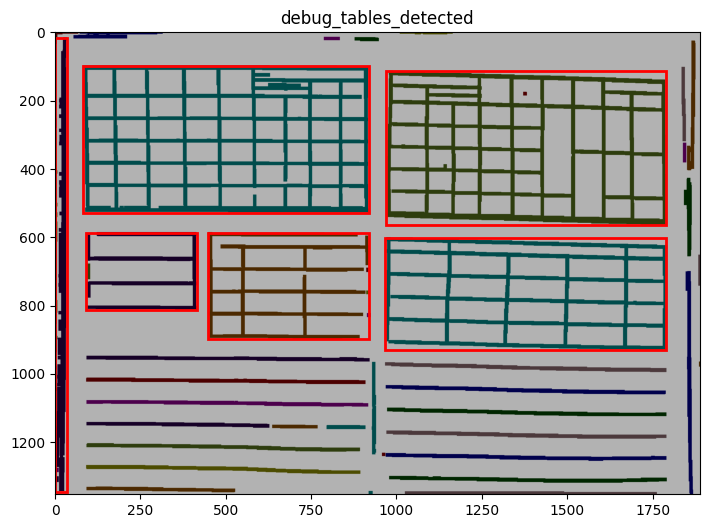
INFO 2026-02-26 16:12:30,731 - dawsonia.table_detect.scipy_proj - INFO - Detected nb_labels_pass = 6
INFO     2026-02-26 16:12:30,861 - dawsonia.table_detect.scipy_proj - INFO - with sensibility = 0.9: l_size = [[6,
         9], [5, 1], [1, 8], [3, 5]]
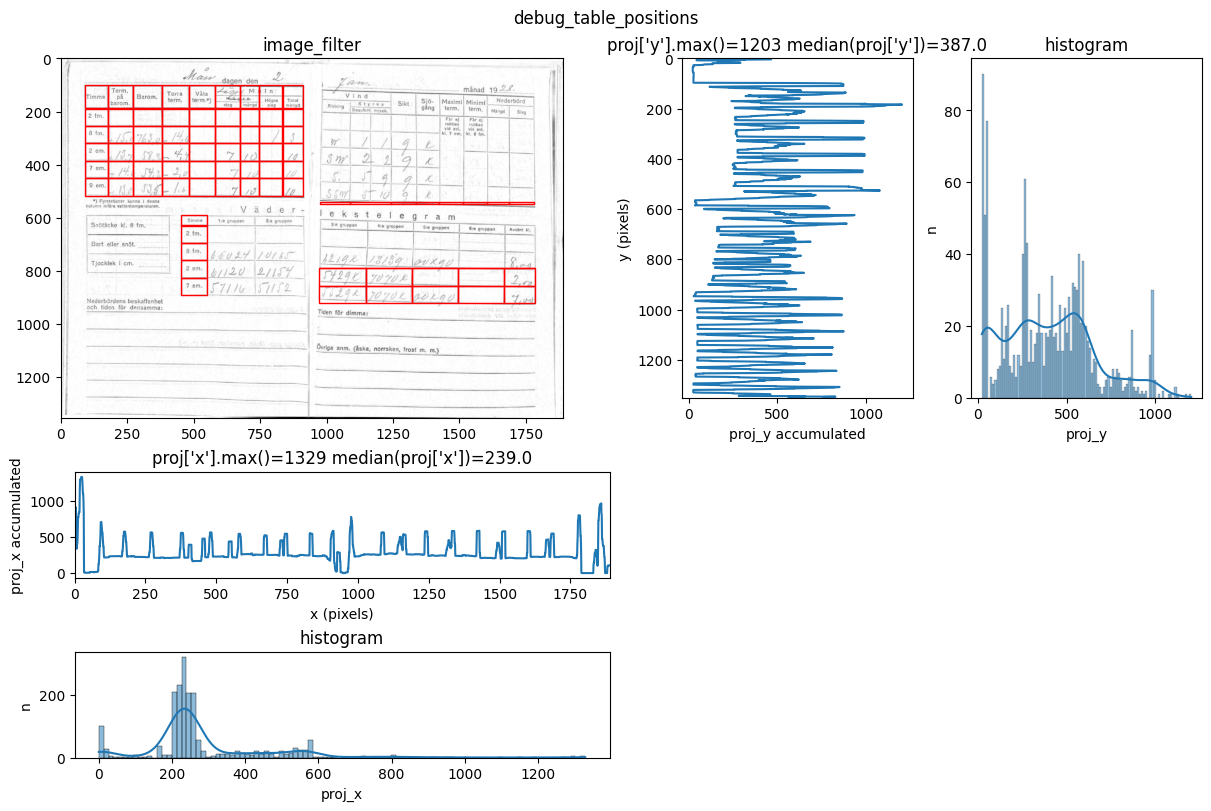
INFO 2026-02-26 16:12:33,165 - dawsonia.table_detect.scipy_proj - INFO - saving table 0
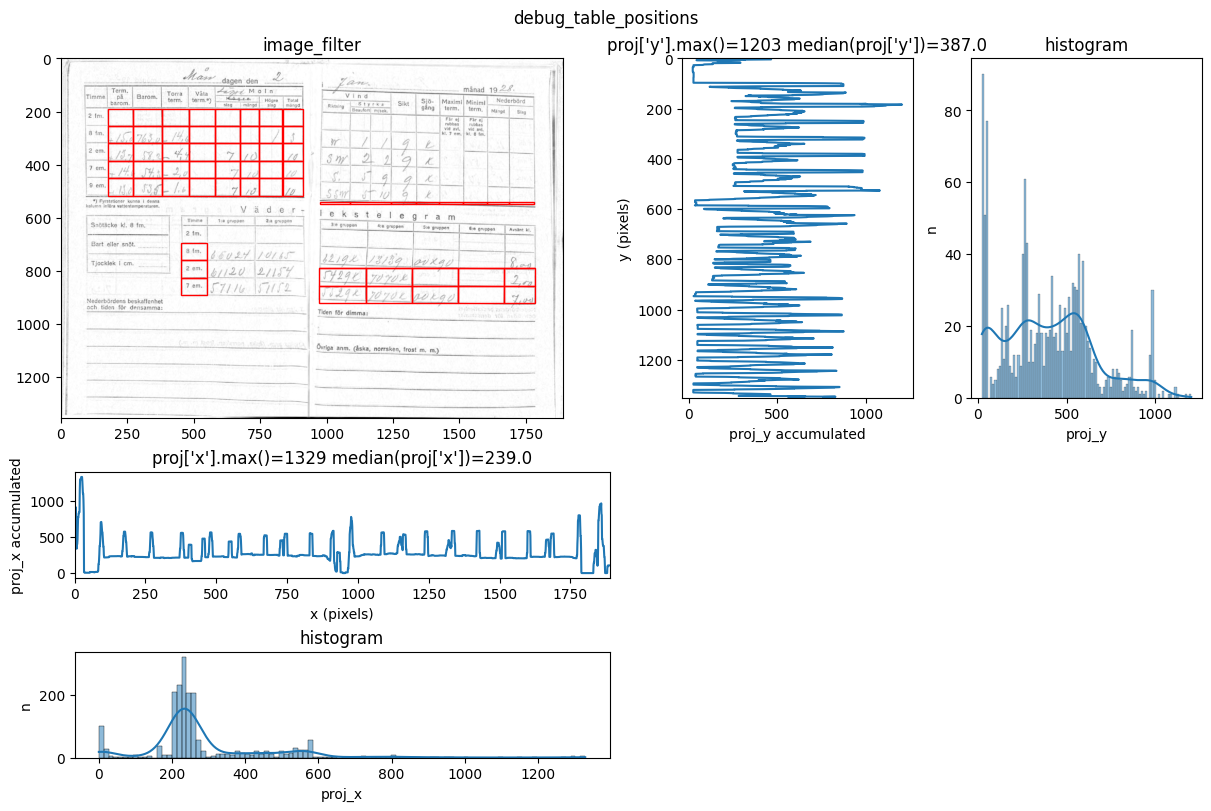
INFO     2026-02-26 16:12:33,169 - dawsonia.table_detect.scipy_proj - INFO - with sensibility = 0.7: l_size = [[6,
         9], [3, 9], [5, 2], [6, 5]]
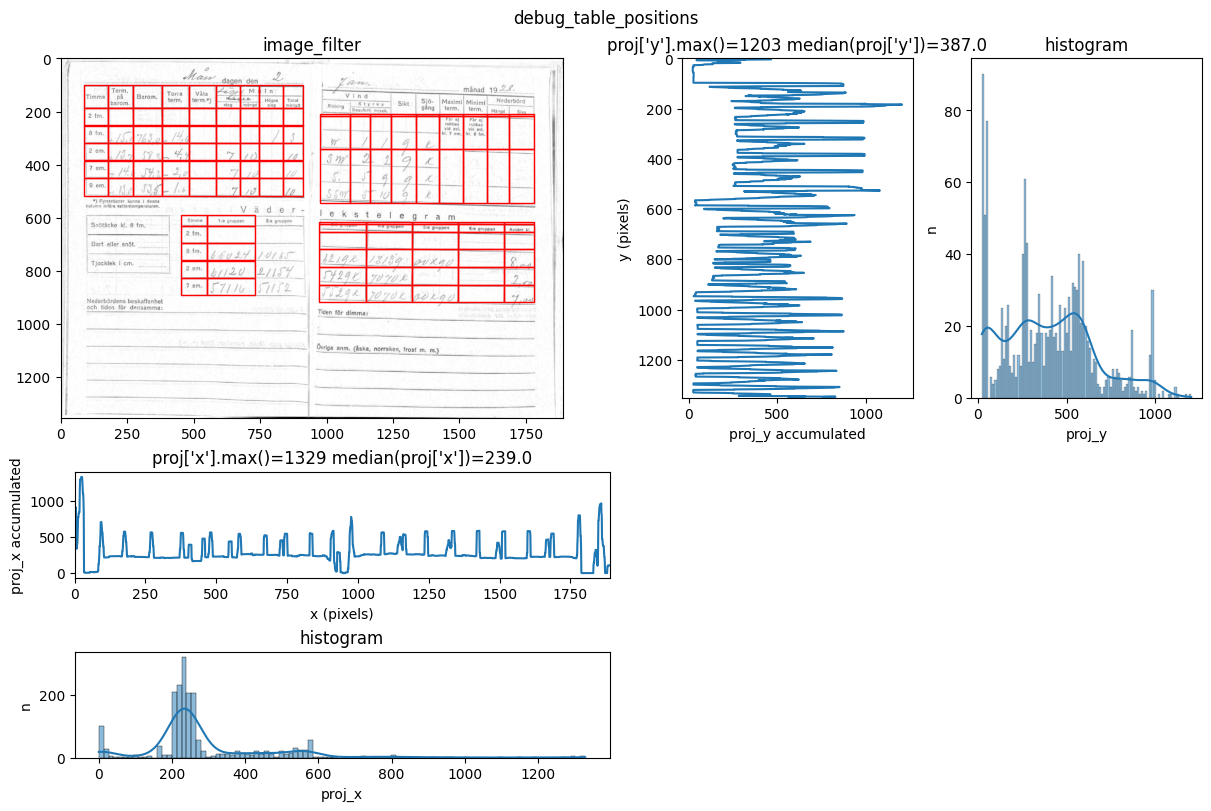
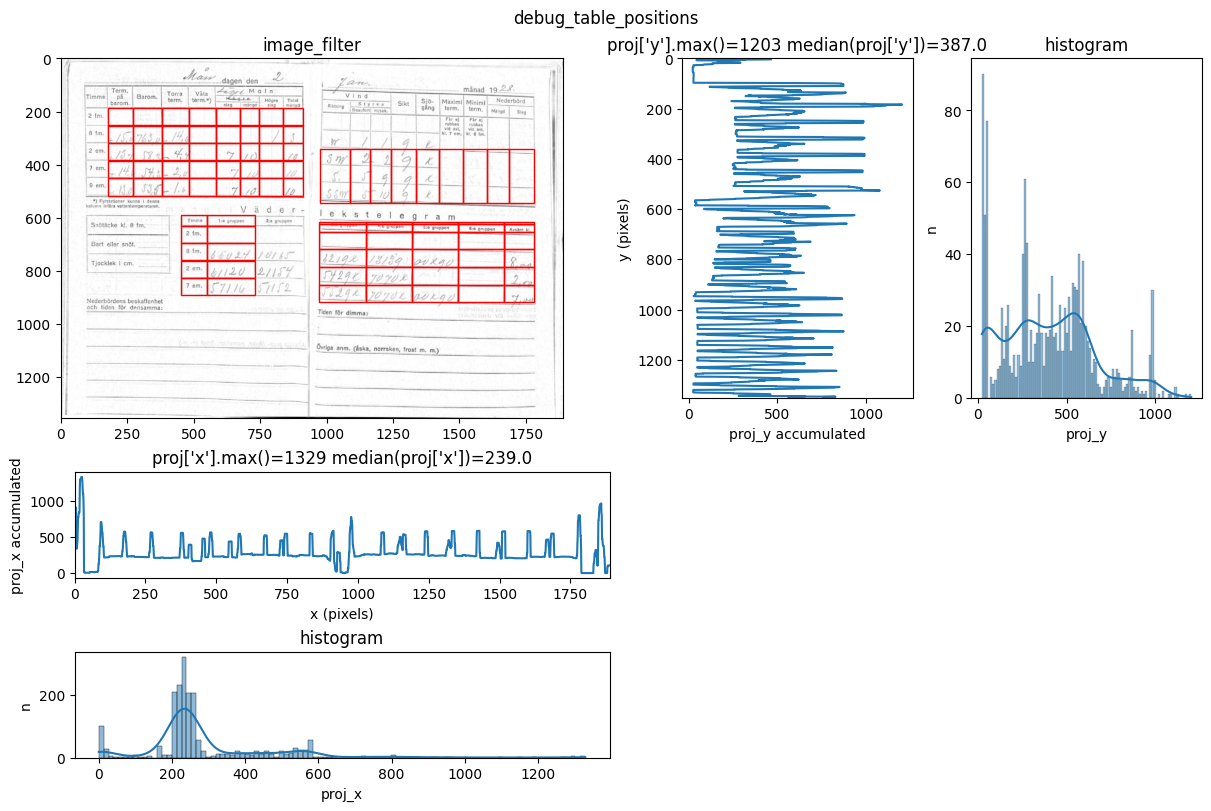
INFO     2026-02-26 16:12:35,202 - dawsonia.table_detect.scipy_proj - INFO - with sensibility = 0.6: l_size = [[6,
         9], [6, 9], [3, 1], [5, 2], [5, 5]]
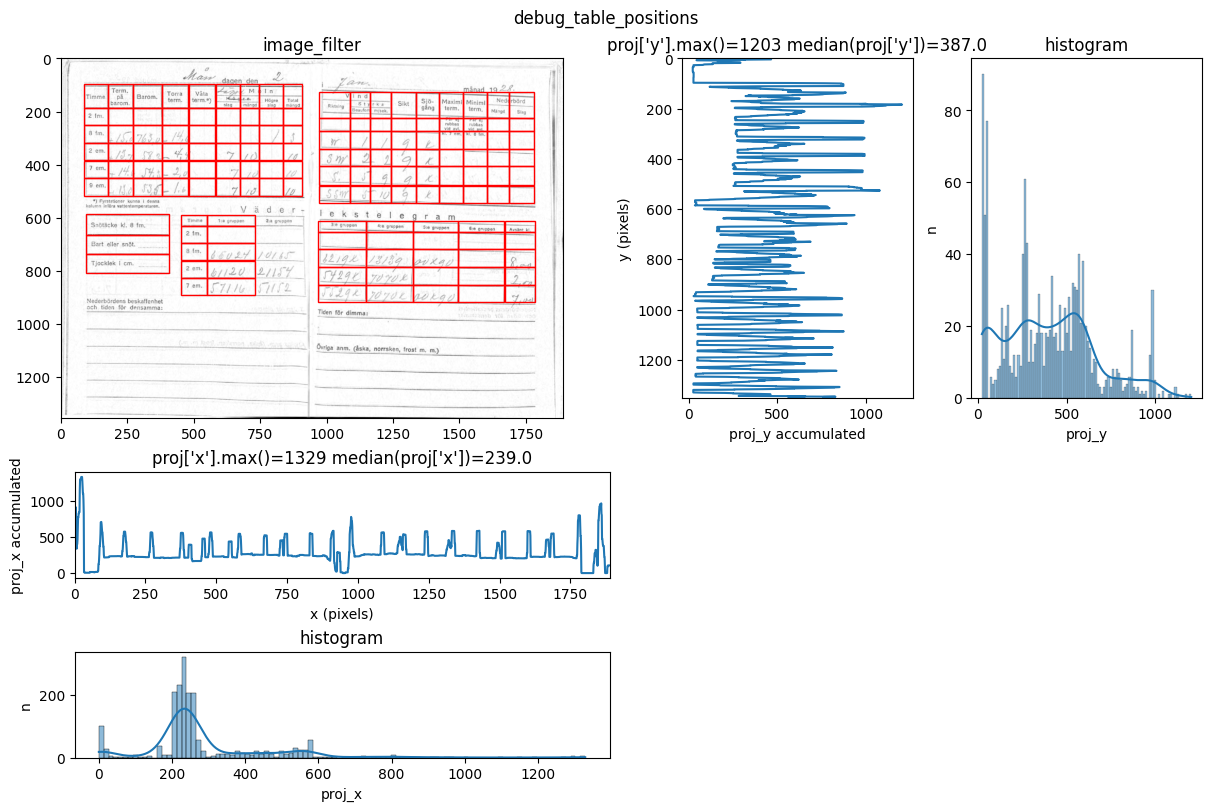
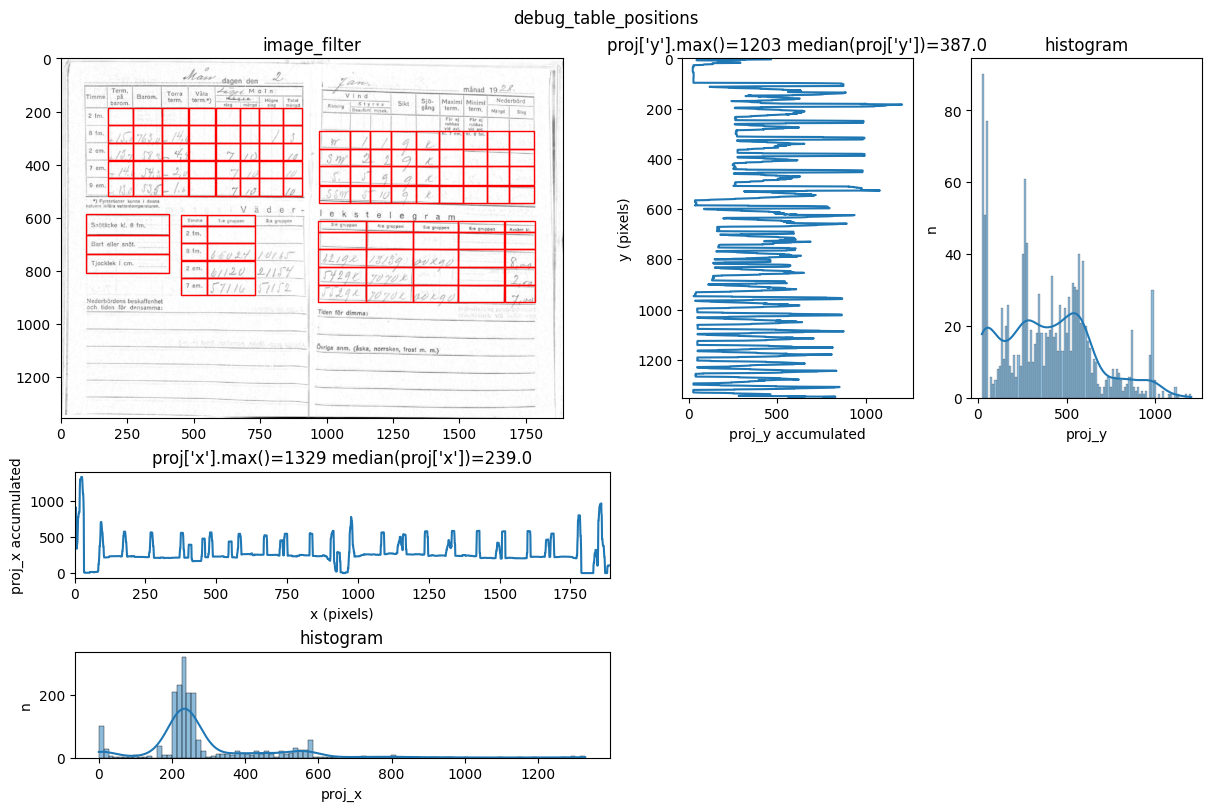
INFO 2026-02-26 16:12:37,328 - dawsonia.table_detect.scipy_proj - INFO - saving table 2
INFO 2026-02-26 16:12:37,330 - dawsonia.table_detect.scipy_proj - INFO - saving table 4
INFO     2026-02-26 16:12:37,332 - dawsonia.table_detect.scipy_proj - INFO - with sensibility = 0.55: l_size = [[6,
         9], [7, 9], [3, 1], [5, 2], [5, 5]]
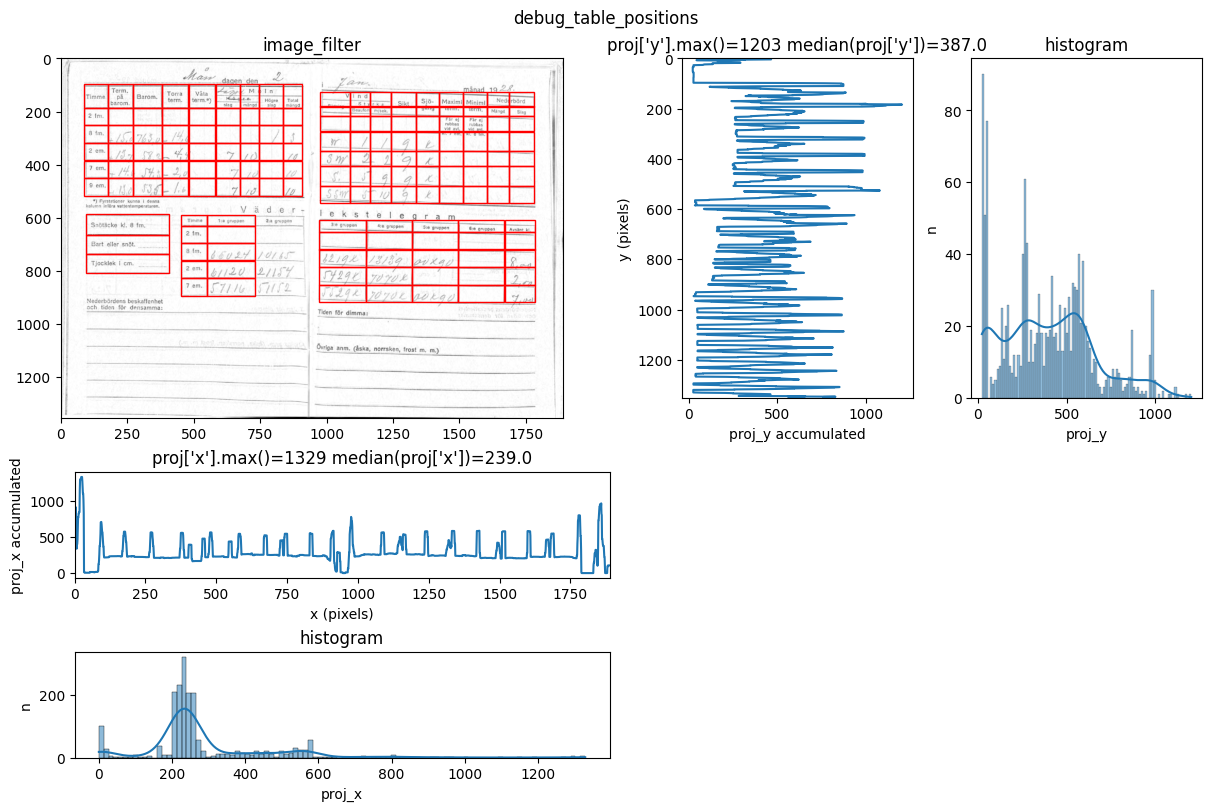
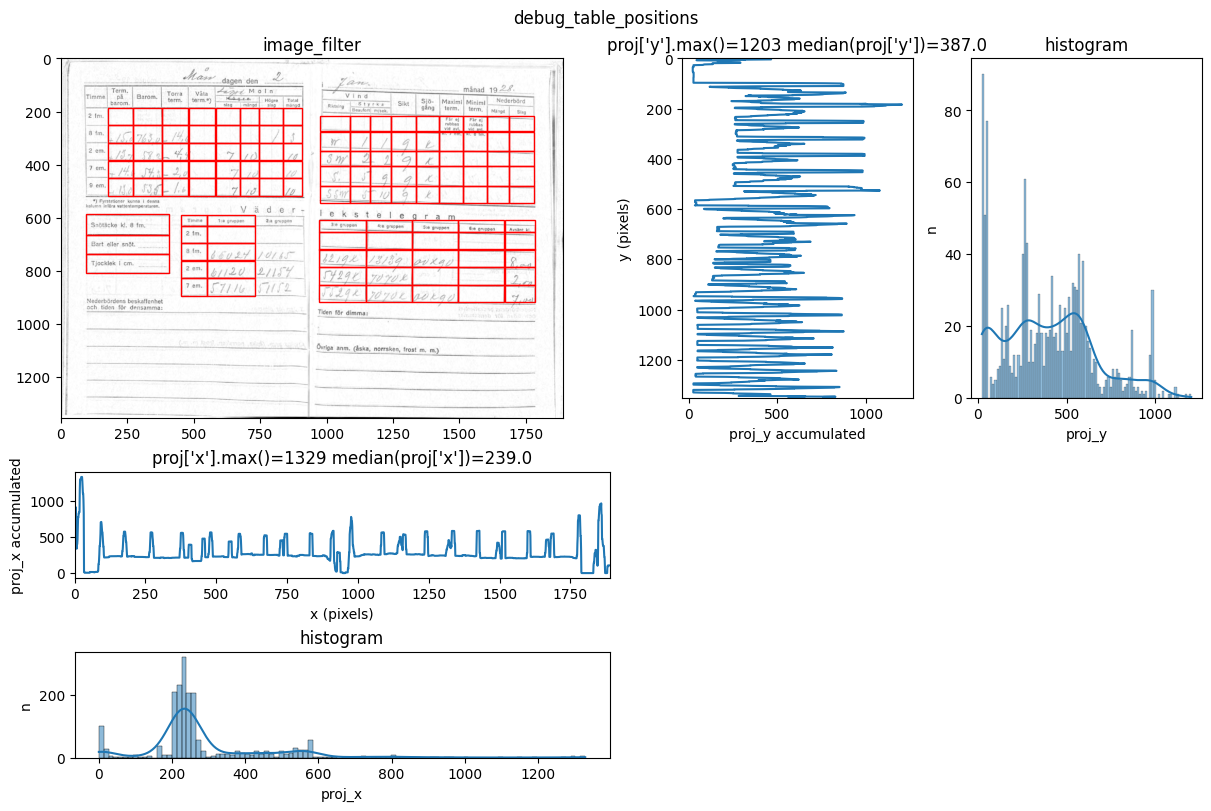
INFO 2026-02-26 16:12:39,253 - dawsonia.table_detect.scipy_proj - INFO - saving table 1
INFO     2026-02-26 16:12:39,255 - dawsonia.table_detect.utils - INFO - 🌞 final size of tables: [[5, 8], [5, 9],
         [3, 1], [], [5, 5]]
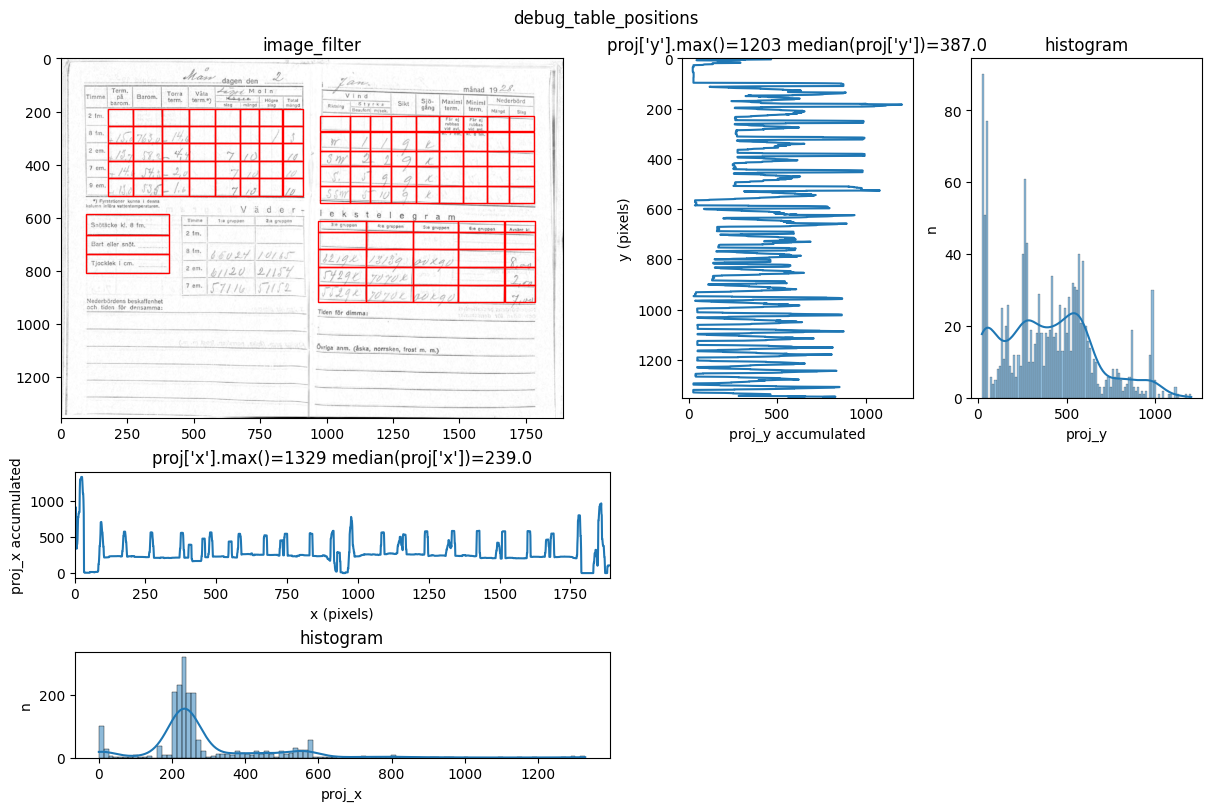
INFO 2026-02-26 16:12:40,043 - dawsonia.label - INFO - Table 3 not detected
You can see repeated tries from dawsonia to detect the tables with different sensibilities. Quite early on in the output you can see that the red grid lines lock into the lines of tables 0,2,3,4 and therefore they can be saved. Dawsonia continues to try more (lower) sensibilities to try to detect table 1. But in the end it fails to do so and gives us the log message table 1 not detected.
Zimbabwe example#
Let’s begin to look at a PDF for some station data from Zimbabwe.
!ls data/raw/ZIMBABWE
Zimbabwe_2012-04-01_2012-04-30.pdf
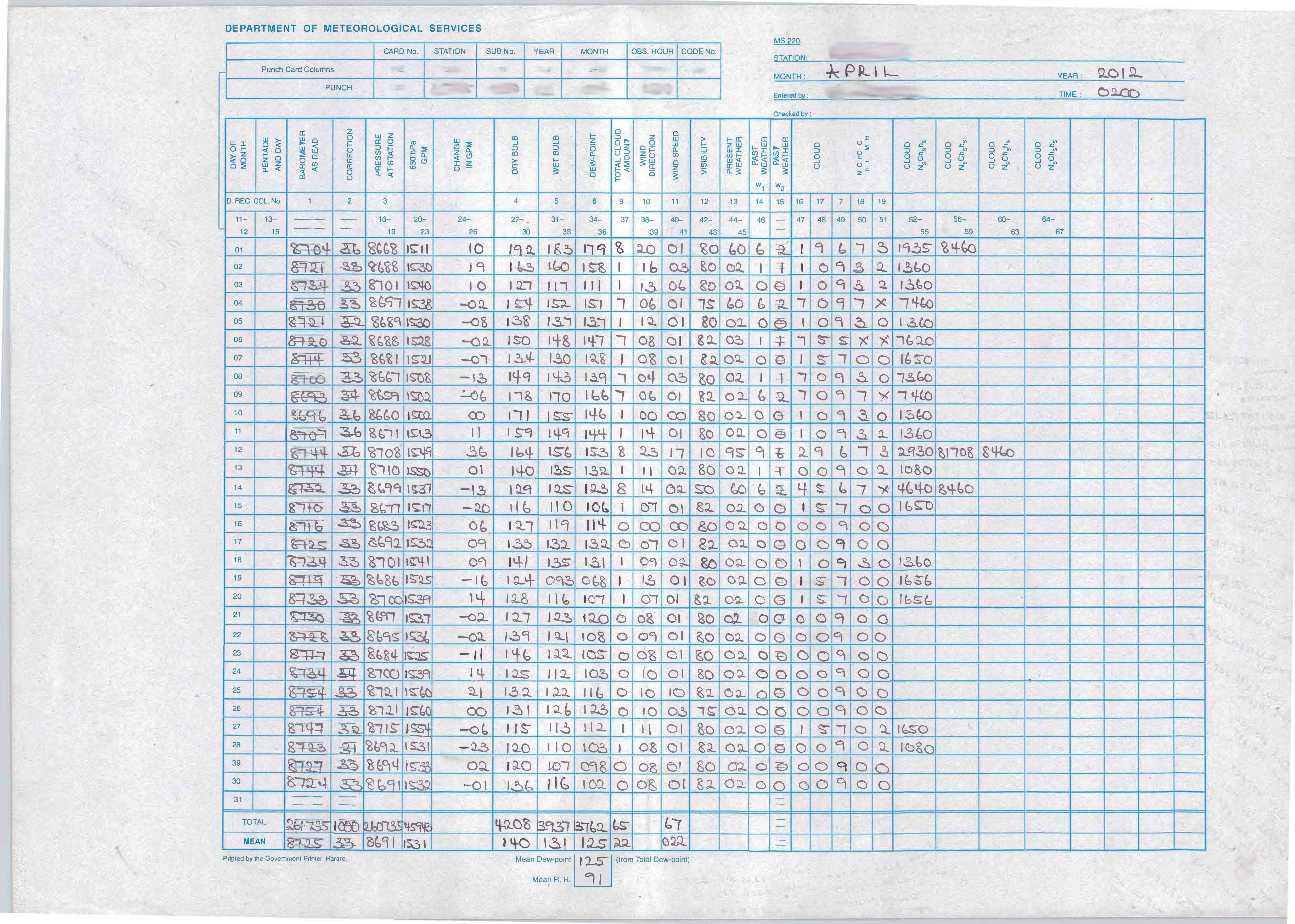
To create a table formats file we start by manually viewing the pdf file. Visually we can see some important aspects:
2 tables in one page
we are not interested in digitizing the topmost table
the second table has 3 header rows and 2 header columns that we dont want to digitize
For this example we decide to focus on digitizing the second table. Internally the tables are zero-indexed which means it has index 1. It’s still good practice to document all columns and rows of all tables. That way they can more easily be used later on if we change our mind.
from IPython.display import Image
Image(filename='images/Zimbabwe_2012-04-01_2012-04-30.png')
%%file table_formats/zimbabwe.toml
# NOTE: The file name matches the directory containing the files.

[default]
version = 0

# Default processing settings
[default.preproc]
corr_rotate = false
idx_tables_size_verify = [1]    # Denoting we are interested in the second table
row_idx_unit = "NONE"           # we don't want dawsonia to try setting time units to the rows
table_modif = [[3,2]]           # must represent same tables as idx_tables_size_verify. we remove 3 leading rows and 2 leading columns
method = "SCIPY_PROJ"           # we want to use the SCIPY_PROJ method for table detection, not OPENCV_CONTOURS

[version.0]
# Columns describe desired unique titles of whatever columns are left after contingent removal according to table_modif.
# In other words we only have to name the columns we are interested in digitizing.
# Since we are not interested at all in the first table, we don't want to bother about what column names to include or not,
# so we'll just name them all for now.
columns = [
  [
    "EMPTY",
    "CARD NO",
    "STATION",
    "SUB No",
    "YEAR",
    "MONTH",
    "Hour",
    "Code NO"
  ],
  [
    "BAROMETER AS READ",
    "CORRECTION",
    "PRESSURE AT STATION",
    "850 hPa",
    "CHANGE IN GPM",
    "DRY BULB",
    "WET BULB",
    "DEW POINT",
    "TOTAL CLOUD AMOUNT",
    "WIND DIR",
    "WIND SPEED",
    "VISIBILITY",
    "PRESENT WEATHER",
    "PAST WEATHER W1",
    "PAST WEATHER W2",
    "CLOUD 47",
    "CLOUD 48",
    "CLOUD 49",
    "CLOUD 50",
    "CLOUD 51",
    "CLOUD 52",
    "CLOUD 56",
    "CLOUD 60",
    "CLOUD 64",
    "empty6",
    "empty7",
    "empty8",
    "empty9"
  ]
]
# col_sections always describe whether to divide any column sections into sub-columns.
# In the zimbabwe case there are no column sections to divide, so it's quite simple to configure.
col_sections = [
  [[1, 8]],         #The first table consists of 8 singular columns
  [[1, 30]]         #The second table consists of 30 singular columns
]
# Table sizes after division according to col_sections and row_sections. Including leading columns and rows.
#[nrows,ncolumns]
divided_tables = [
  [3,8],
  [36,30]
]
name_idx = ["idx_0","idx_2"]
# rows describe desired unique titles of whatever rows are left after contingent removal according to table_modif
rows = [["EMPTY","PUNCH Card Col","PUNCH"],["1", "2", "3", "4", "5", "6", "7", "8", "9", "10", "11", "12", "13", "14", "15", "16", "17", "18", "19", "20", "21", "22", "23", "24", "25", "26", "27", "28", "29", "30", "31", "TOTAL", "MEAN"]]

row_sections = [
  [[1, 3]],         #The first table consists of 3 singular rows
  [[1, 36]]         #The second table consists of 36 singular rows
]
# the sizes of all tables in the page including rows and columns that could be excluded according to table_modif
tables = [
  [3,8],
  [36,30]
]
Writing table_formats/zimbabwe.toml
Demo: Table detection#
Now that we have all the prerequisites read, let’s execute the command to digitize page 3 of the PDF which contains the first tables in the document:
DAWSONIA_DEBUG_TABLE_DETECT=1 dawsonia label --first-page 1 --last-page 1 --no-interactive data/raw/ZIMBABWE/Zimbabwe_2012-04-01_2012-04-30.pdf
or its Python API equivalent:
from dawsonia import label

label.command("data/raw/ZIMBABWE/Zimbabwe_2012-04-01_2012-04-30.pdf", 1, 1, interactive=False)
INFO     2026-02-26 16:12:40,262 - dawsonia.io._pdf - INFO - table_format = TableFormat(name_idx=['idx_0',
         'idx_2'], columns=[['EMPTY', 'CARD NO', 'STATION', 'SUB No', 'YEAR', 'MONTH', 'Hour', 'Code NO'],
         ['BAROMETER AS READ', 'CORRECTION', 'PRESSURE AT STATION', '850 hPa', 'CHANGE IN GPM', 'DRY BULB', 'WET
         BULB', 'DEW POINT', 'TOTAL CLOUD AMOUNT', 'WIND DIR', 'WIND SPEED', 'VISIBILITY', 'PRESENT WEATHER', 'PAST
         WEATHER W1', 'PAST WEATHER W2', 'CLOUD 47', 'CLOUD 48', 'CLOUD 49', 'CLOUD 50', 'CLOUD 51', 'CLOUD 52',
         'CLOUD 56', 'CLOUD 60', 'CLOUD 64', 'empty6', 'empty7', 'empty8', 'empty9']], rows=[('EMPTY', 'PUNCH Card
         Col', 'PUNCH'), ('1', '2', '3', '4', '5', '6', '7', '8', '9', '10', '11', '12', '13', '14', '15', '16',
         '17', '18', '19', '20', '21', '22', '23', '24', '25', '26', '27', '28', '29', '30', '31', 'TOTAL',
         'MEAN')], tables=[[3, 8], [36, 30]], row_sections=[[[1, 3]], [[1, 36]]], col_sections=[[[1, 8]], [[1,
         30]]], divided_tables=[[3, 8], [36, 30]], preproc=PreprocConfig(table_modif=[[3, 2]], corr_rotate=False,
         row_idx_unit=<TimeUnits.NONE: 3>, method=<PreprocMethods.SCIPY_PROJ: 1>, idx_tables_size_verify=[1]),
         transforms=None, version='0', station='zimbabwe')
INFO     2026-02-26 16:12:40,271 - dawsonia.io._pdf - INFO - PDF metadata: {'pages': 1, 'metadata': {'Producer':
         'cairo 1.18.4 (https://cairographics.org)', 'CreationDate': "D:20260225124358+01'00"}}
INFO 2026-02-26 16:12:40,273 - dawsonia.io._pdf - INFO - Setting first_page = 1
INFO     2026-02-26 16:12:40,275 - dawsonia.io._pdf - INFO - Opening PDF
         data/raw/ZIMBABWE/Zimbabwe_2012-04-01_2012-04-30.pdf to extract pages 1–2
INFO 2026-02-26 16:12:40,278 - dawsonia.io._pdf - INFO - Total 1 pages detected; reading up to 1
INFO 2026-02-26 16:12:47,471 - dawsonia.table_detect.scipy_proj - INFO - Detected nb_labels_pass = 2
INFO     2026-02-26 16:12:47,474 - dawsonia.table_detect.scipy_proj - INFO - with sensibility = 0.9: l_size = [[3,
         8], [36, 25]]
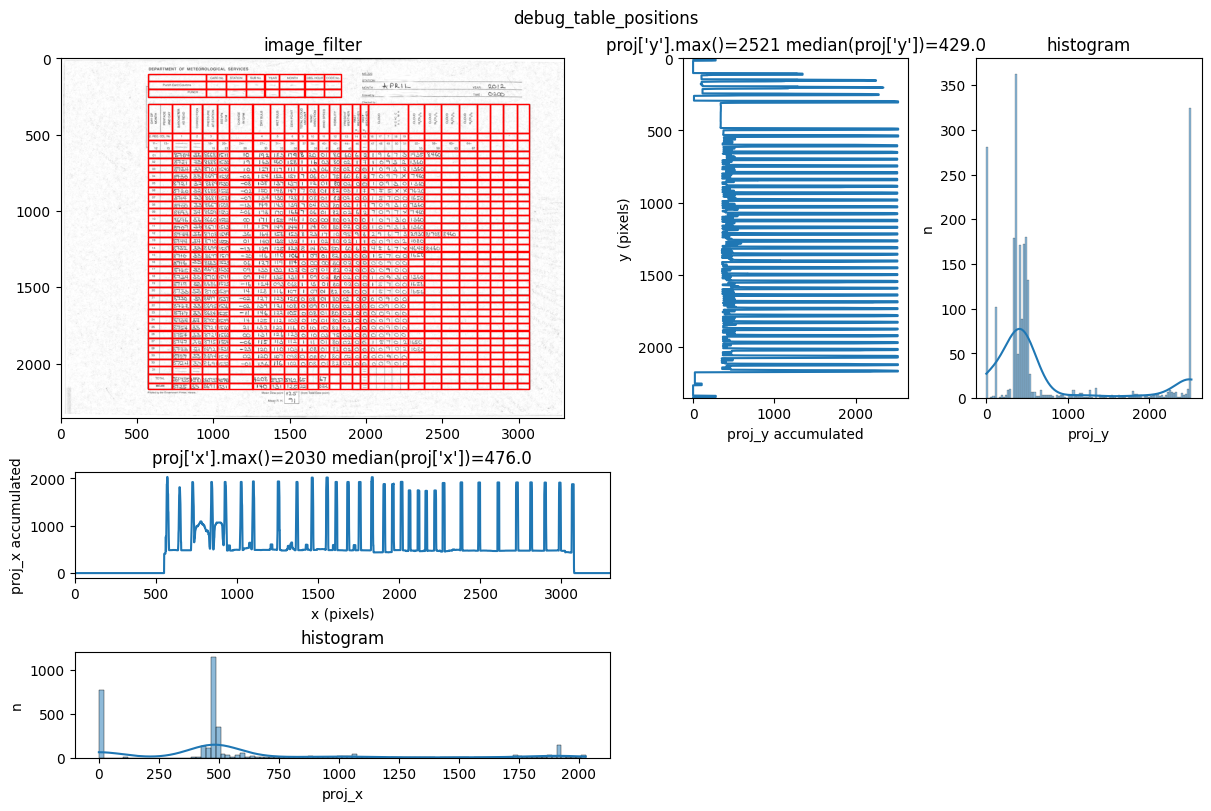
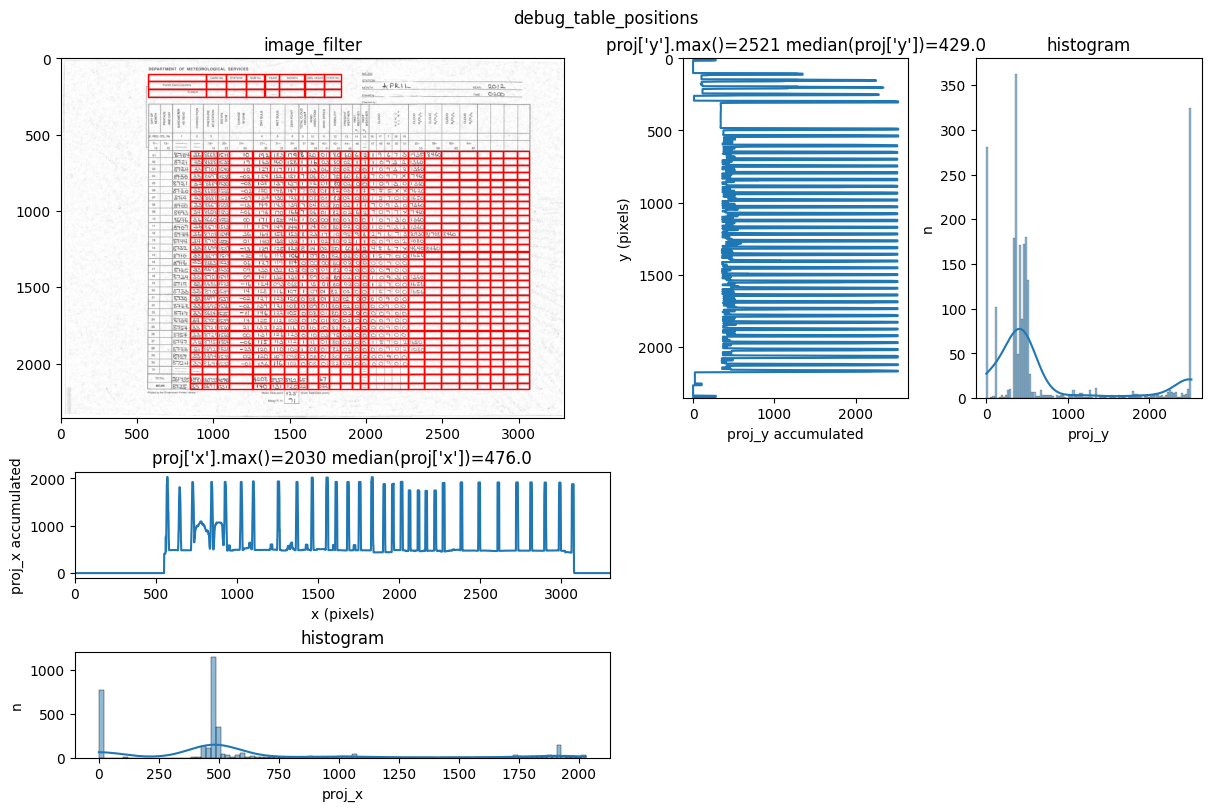
INFO 2026-02-26 16:12:51,189 - dawsonia.table_detect.scipy_proj - INFO - saving table 0
INFO     2026-02-26 16:12:51,191 - dawsonia.table_detect.scipy_proj - INFO - with sensibility = 0.7: l_size = [[3,
         8], [36, 30]]
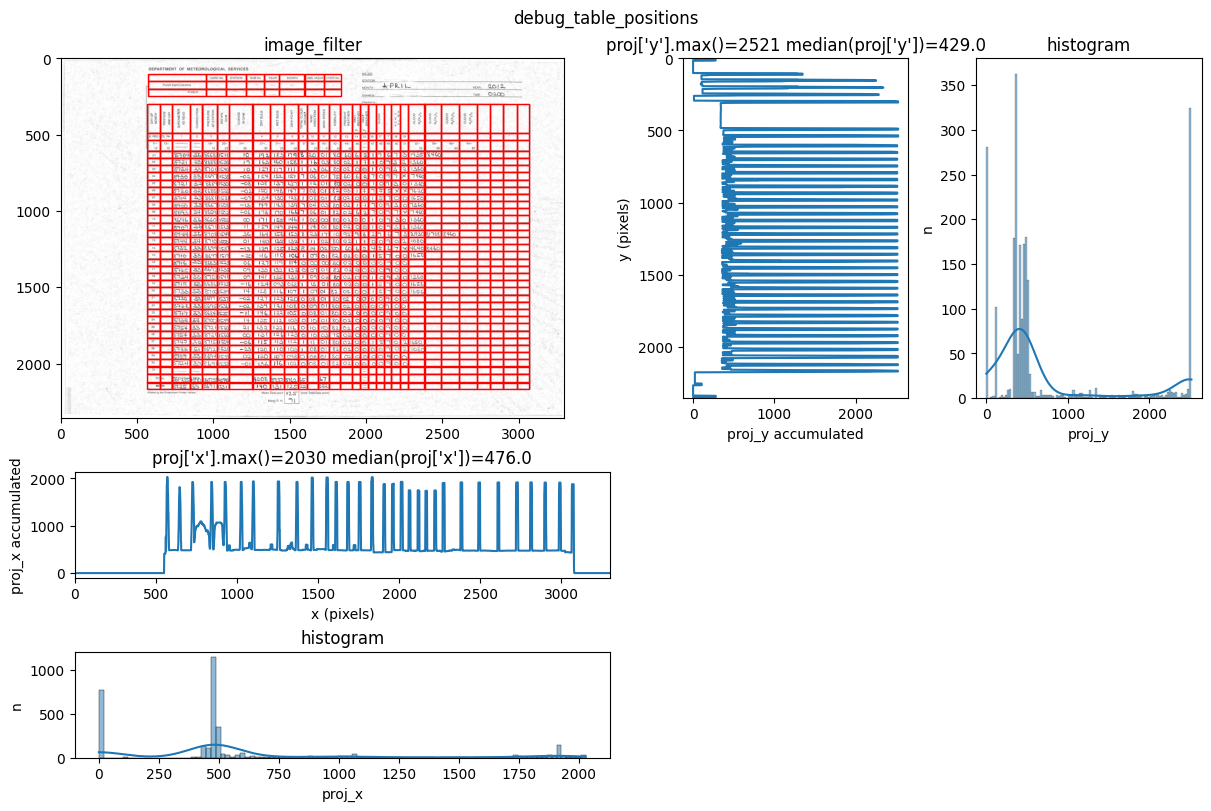
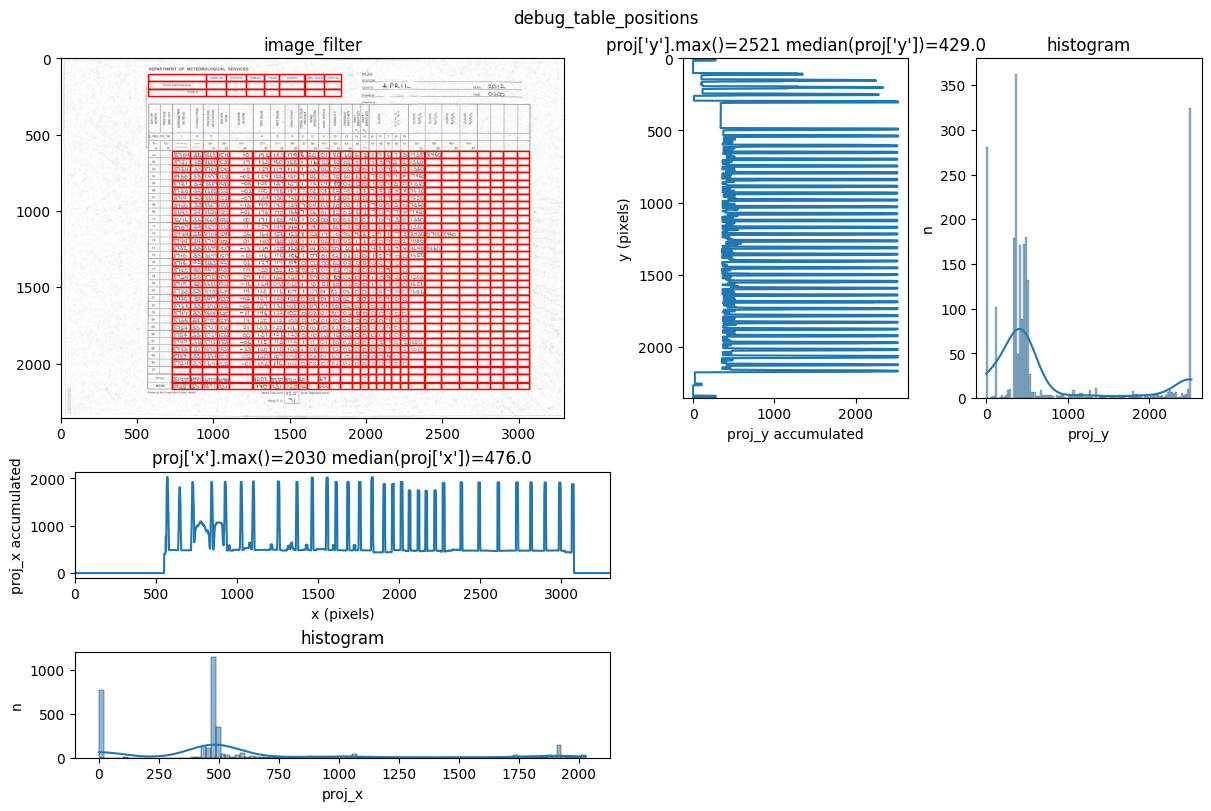
INFO 2026-02-26 16:12:55,492 - dawsonia.table_detect.scipy_proj - INFO - saving table 1
INFO 2026-02-26 16:12:55,494 - dawsonia.table_detect.utils - INFO - 🌞 final size of tables: [[3, 8], [33, 28]]
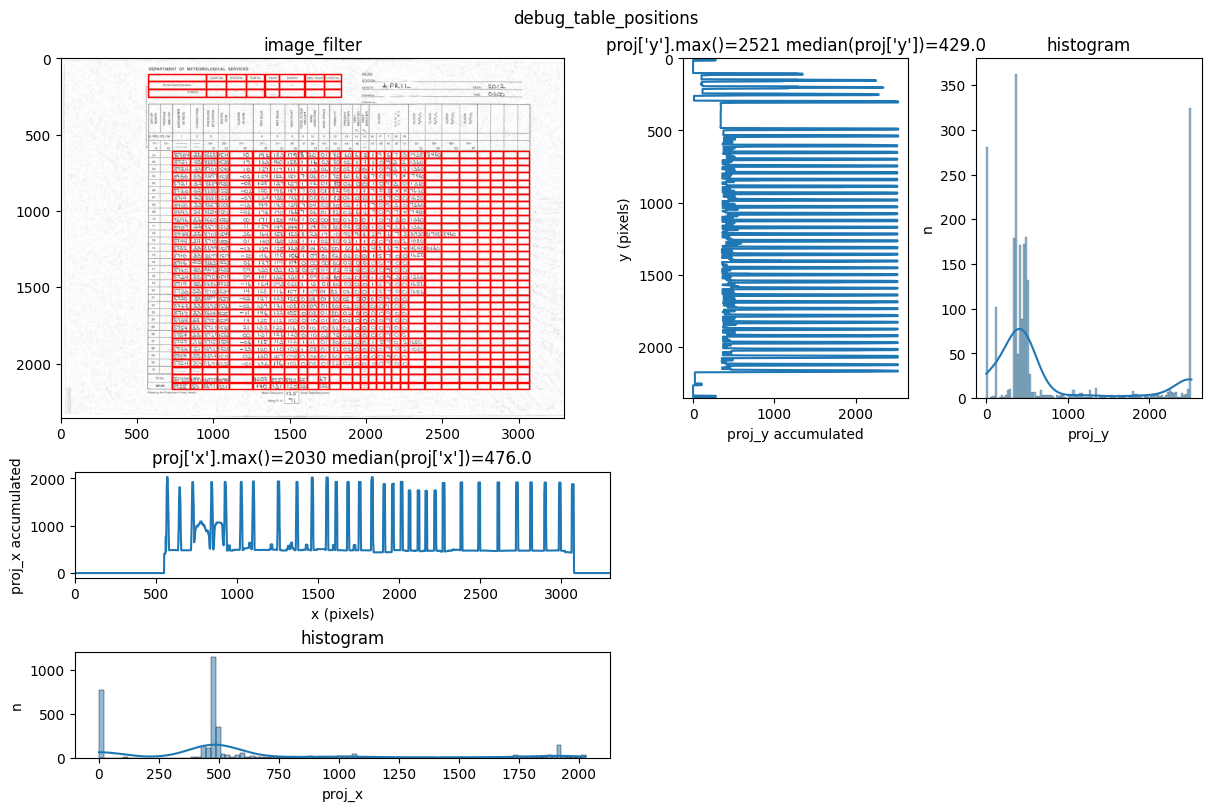
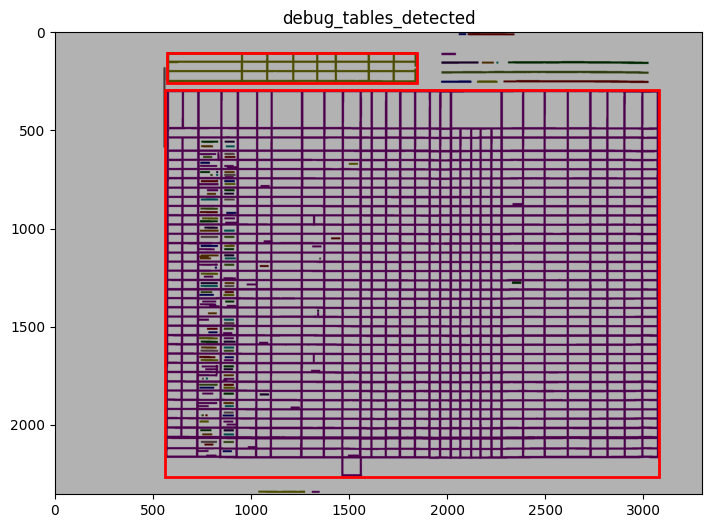
We can see in the output that tables 0 and 1 are detected and saved. However, only table 1 will be saved as a parquet file since that’s what we configured with idx_tables_size_verify.