
HTR model inference#
This notebook illustrates how to make image-to-text inference using the HTR-Flor model which comes bundled with Dawsonia. We will make use of the dawsonia.ml.api.ML.
from dawsonia.ml import ML
from pathlib import Path
model = ML(model_path=Path("data/models/dawsonia/2024-03-29/"))
Inference#
CVL-strings dataset#
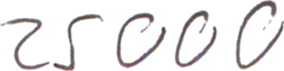
Let’s load a image from the CVL strings dataset and try to infer the text. This image was never used in training.
from PIL import Image
import numpy as np

im = Image.open("cvl-strings-eval/25000-0585-08.png")
im
arr = np.array(im)
print(arr.dtype, arr.shape, f"min={arr.min()} max={arr.max()}")
uint8 (71, 284, 3) min=60 max=255
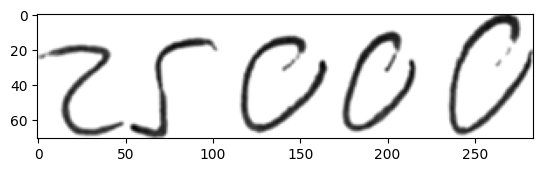
First we need to convert this image to grayscale
import matplotlib.pyplot as plt
from skimage.color import rgb2gray
from skimage.exposure import rescale_intensity

def preprocess(arr):
    if arr.ndim == 3:
        gray = rgb2gray(arr)
    else:
        gray = arr

    # rescale it to range [0, 255] and change datatype from float
    return rescale_intensity(gray, out_range='uint8').astype('uint8')
gray = preprocess(arr)
print(gray.shape, f"min={gray.min()} max={gray.max()}")
(71, 284) min=0 max=255
plt.imshow(gray, cmap='gray')
<matplotlib.image.AxesImage at 0x7f66a4053880>
model.predict(gray)
((('767.1n',
   '767.1n',
   '7.1n',
   '7.1n',
   '767.41n',
   '767.1n',
   '767.n',
   '767.n',
   '7.n',
   '7.n'),),
 [array([0.07069247, 0.0560309 , 0.04045768, 0.0320668 , 0.03077785,
         0.02195447, 0.0121608 , 0.0118763 , 0.00695969, 0.00679687],
        dtype=float32)])
From SMHI’s training data#
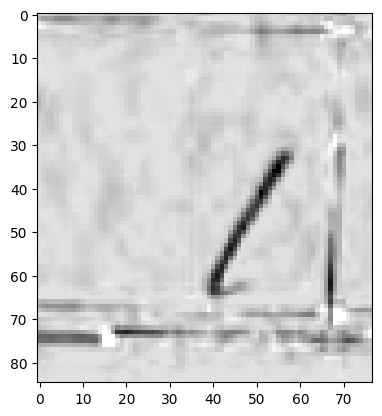
This file too has not been used for training and is from the test split for the model loaded above. It however has a very similar handwriting style and background noise compared to the training data.
im = Image.open("label_old/268829_1.png")
im

arr = np.array(im)
print(arr.dtype, arr.shape, f"min={arr.min()} max={arr.max()}")
uint8 (85, 77) min=0 max=255
This image is already preprocessed!
gray = arr
plt.imshow(gray, cmap='gray')
<matplotlib.image.AxesImage at 0x7f669c3d90d0>
model.predict(gray)
((('1n', '1n', 'n', '7n', '3n', 'n', '1n1', '1n.', '1n3', '1n8'),),
 [array([9.96923208e-01, 1.01001037e-03, 8.20051820e-04, 4.62397235e-04,
         2.17886409e-04, 8.41823348e-05, 5.58489376e-07, 1.21680941e-07,
         1.04088947e-07, 1.03685316e-07], dtype=float32)])
Conclusion#
We see that the model fails to give an inference for a image sample from CVL-strings. It does not hallucinate, since the probability of the inference is very low! However for SMHI’s data it does the job. Depending on the input data, you may need to perform transfer learning or not